
You're in the middle of a busy workday, tapping out a quick response or trying to unlock your device via the fingerprint sensor, only to find the interface lagging behind your every move. It's a common frustration that leads many to ask: does a screen protector affect touch sensitivity? While a thick, low-quality layer can create a barrier between you and your technology, the issue usually stems from a lack of precision engineering. Secure your device. Don't sacrifice performance for protection.
We understand that your devices are high-value investments. They require both security and peak responsiveness. This guide explores the material science behind capacitive touchscreens and explains how the right materials maintain perfect electrical conductivity. You will learn how to identify if your current protector is the culprit behind those missing keystrokes. We examine how advanced solutions like IPG ProActive use specialized material properties to ensure total clarity. From industrial tools in the shop to the latest smartphone, discover how to maintain the seamless interaction you expect.
Key Takeaways
- Grasp the physics of capacitive touch and the role of the dielectric barrier in maintaining electrical conductivity.
- Analyze how material density and adhesive quality determine exactly how much does a screen protector affect touch sensitivity on modern devices.
- Evaluate the haptic advantages of IPG Original (Hydrogel) over traditional glass for curved and high-performance screens.
- Implement immediate troubleshooting steps, such as surface cleaning and sensitivity calibration, to eliminate lag and ghost touches.
- Explore the IPG ProActive range for invisible, precision-engineered protection tailored to high-value displays like BYD Seal navigation systems.
Understanding Capacitive Touch: How Your Screen Feels Your Finger
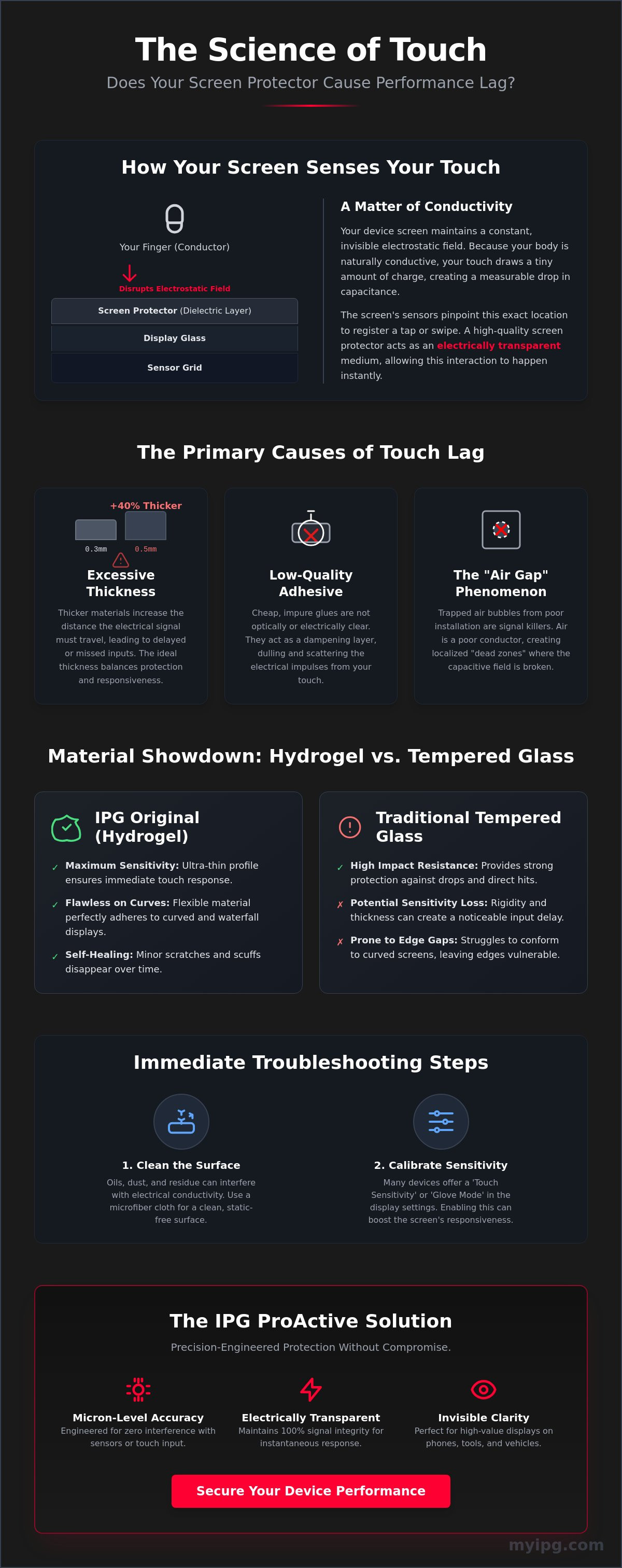
Your smartphone screen is a live, active electrical field. It's constantly waiting for your touch. Modern displays utilize capacitive sensing technology to register every swipe and tap. When your finger approaches the glass, it interacts with the local electrostatic field. This happens because your body is naturally conductive. Your device detects a precise drop in capacitance at a specific coordinate. Capacitance is the ability of a system to store an electric charge.
People often wonder, does a screen protector affect touch sensitivity? The answer lies in the material science of the barrier. Every layer added to the screen acts as a dielectric. A dielectric is an insulating material that can be polarized by an applied electric field. High-performance shields are engineered to be electrically transparent. They allow your body’s natural signal to pass through to the sensors without resistance. Poorly manufactured alternatives create a physical and electrical wall. They dampen the signal strength. They force you to tap harder, which eventually damages the underlying hardware.
The Role of Conductivity in Touch Response
Touch response relies on the seamless flow of electrical impulses between your skin and the device. Your body’s natural electricity triggers sensors buried deep beneath layers of glass and light-emitting diodes. Non-conductive materials or excessive thickness disrupt this signal flow. Material purity is essential here. Contaminants found in low-grade plastics or recycled tempered glass interfere with signal transmission. A high-quality protector maintains 100% signal integrity. It ensures your high-value device feels exactly like the day you unboxed it.
Why Precision Engineering Matters
Precision is the difference between a responsive interface and a frustrating experience. Even micron-level thickness variations can lead to dead zones on your display. These are areas where the screen fails to register touch correctly. Protector density also plays a critical role in touch registration speed. If the material is too dense or the adhesive layer is uneven, the delay becomes noticeable. We view this as a matter of stewardship over your high-value items. Choosing an engineered shield means protecting the hardware while preserving the user experience. You shouldn't have to choose between a cracked screen and a laggy interface. Precise engineering ensures your device stays secure and perfectly responsive across every millimeter of the display.
Factors That Compromise Screen Protector Touch Response
Understanding why a device lags requires looking at the physical barriers you place on it. Material thickness is the primary variable in this equation. A standard 0.3mm protector offers a slim profile that preserves haptic feedback. In contrast, a 0.5mm alternative adds significant bulk. This 40% increase in thickness creates a larger gap between your fingertip and the sensor array. So, does a screen protector affect touch sensitivity? It depends entirely on the micron count of the material. Thicker layers increase the distance the electrical signal must travel, often resulting in missed inputs or delayed responses.
Adhesive quality is another silent performance killer. Manufacturers of low-cost protectors often use "cheap" glues that are not optically or electrically clear. These adhesives act as a dampening layer. They dull the electrical impulses required for the physics of capacitive touch to function correctly. Furthermore, the "Air Gap Phenomenon" turns minor installation bubbles into signal killers. Air is a poor conductor. A trapped bubble creates a localized dead zone where the capacitive field is broken. Your device isn't broken; the signal simply can't bridge the gap.
Thickness vs. Protection: The Great Trade-off
Choosing the right shield involves balancing durability with responsiveness. Standard tempered glass provides high impact resistance but can be rigid. Ultra-thin hydrogel films offer a different advantage. They are incredibly thin and flexible. For professionals using industrial tools like the Snap-on Triton or Autel MaxiSYS MS909, thickness is a liability. These tools require precision for diagnostic accuracy and often need to remain compatible with glove-touch technology. The "sweet spot" for modern smartphones is typically a 0.3mm thickness. This provides enough mass to absorb impact without sacrificing the rapid-fire response needed for typing or gaming.
The Impact of Poor Installation
Precision installation is non-negotiable for high-value items. Even microscopic dust particles trapped during application create micro-gaps. These gaps disrupt the capacitive field and lead to "ghost touches" or non-responsive areas. A perfect "Snap-on" fit is essential, especially for sensitive diagnostic tools and navigation displays. To ensure a flawless, debris-free bond, we recommend using IPG ZeroDust technology. This specialized application method removes environmental contaminants before they can compromise your screen's integrity. Maintain your device's operational standard with engineered protection that respects the original design of your hardware.
Hydrogel vs. Tempered Glass: Which Shield is Best for Sensitivity?
When users ask, does a screen protector affect touch sensitivity, they are typically weighing the pros and cons of two distinct material technologies. Tempered glass is the traditional choice for heavy impact protection. However, IPG Original (Hydrogel) offers a scientific advantage in responsiveness. Hydrogel is a flexible, polymer-based material. Its elastic nature allows it to form a molecular bond with the display surface. This eliminates the microscopic air pockets that often form under rigid glass. By removing these gaps, the electrical signal from your finger reaches the sensor array without interference.
Curved displays present a unique challenge for touch registration. Devices like the Samsung S-series or the 15.6 inch navigation screens in the BYD Seal require a protector that follows every contour. Rigid glass often fails at the edges. It lifts and creates dead zones. Hydrogel wraps around these curves effortlessly. It stays secure. Additionally, its self-healing properties mean minor abrasions vanish within 24 to 48 hours. This keeps the surface perfectly smooth. A smooth surface ensures your finger glides consistently, which is vital for maintaining high touch registration speeds during rapid typing or gaming.
The Material Science of IPG Original
The molecular structure of hydrogel is designed for high electrical permittivity. This means it allows the electric field to pass through with almost zero resistance. When you understand how touch screens work, you realize that any interference with this field causes lag. IPG Original is the preferred choice for modern biometric security. Ultrasonic and optical in-display fingerprint sensors require a perfect, distortion-free read of the skin's ridges. Glass can sometimes refract the light or dampen the capacitive return. Hydrogel feels organic. It mimics the tactile response of the native screen. It lacks the brittle, disconnected feel of thick glass overlays.
When to Choose Tempered Glass
There are specific scenarios where tempered glass remains the superior option. If you work in high-impact environments or industrial settings, the structural rigidity of glass is a necessary shield. We've engineered our IPG tempered glass to be ultra-thin, typically around 0.3mm. This precision minimizes the delay often associated with bulkier, generic alternatives. We view this as a matter of stewardship over your technology. We provide the right material for your specific environment. Whether it is the rugged protection of glass for a construction site or the invisible precision of hydrogel for a Tesla Model 3 display, we ensure your high-value items remain safe. Don't let a poor material choice compromise your experience. The question of how much does a screen protector affect touch sensitivity often comes down to matching the material density to your specific device needs.
Troubleshooting and Optimizing Your Device Touch Response
If you experience lag after installation, don't assume the protector is faulty. Often, the device simply requires recalibration to account for the new dielectric layer. Start by thoroughly cleaning the surface. Skin oils and environmental debris mimic ghost touches. They confuse the capacitive sensors. Use a microfiber cloth to maintain the integrity of your high-value display. Next, re-register your fingerprints. This is a critical step for biometric security. The sensor must map your unique ridges through the specific density of the new material. Finally, inspect the edges. Any lifting or air pockets will disrupt the capacitive bond and lead to dead zones.
Many users ask: does a screen protector affect touch sensitivity during high-performance tasks? The answer often lies in how the device is configured to handle the additional barrier. Software optimization can bridge the gap between protection and response. If you find your inputs are dropping, follow these steps to restore peak performance. This process ensures your device remains a reliable tool rather than a source of frustration.
Software Fixes for Hardware Shields
Android and iOS both offer tools to compensate for added screen layers. For Samsung users, navigate to the Display menu in Settings and toggle on Touch Sensitivity. This feature increases the screen's sensitivity to accommodate protectors. iPhone users should go to Accessibility, then Touch, and adjust Touch Accommodations. You can also modify Haptic Touch pressure levels to ensure your taps register correctly. These adjustments are particularly useful for thicker tempered glass shields. They ensure the hardware registers every intent without requiring excessive force. Calibrate your device to match your protection level for a seamless experience.
Environmental Factors
Your surroundings play a major role in how well your screen responds. Extreme cold reduces the conductivity of your skin. High humidity can create a thin film of moisture on the protector surface. Both conditions interfere with the electrical field. For marine electronics like the IPG Lowrance Eagle 4" Elite hds poroFishFinder screen protector, you need a shield that handles moisture without losing touch accuracy. Similarly, the IPG Camera Lens Protector for Harley Cluster Display protector is designed to withstand the vibrations and dust of the open road. Regular maintenance is key. Wipe down your gear after exposure to salt spray or road grime to keep the capacitive field clear. Ensure your specialized equipment remains operational by choosing precision-cut IPG protection designed for extreme conditions.
The IPG ProActive Solution: Protection Without Interference
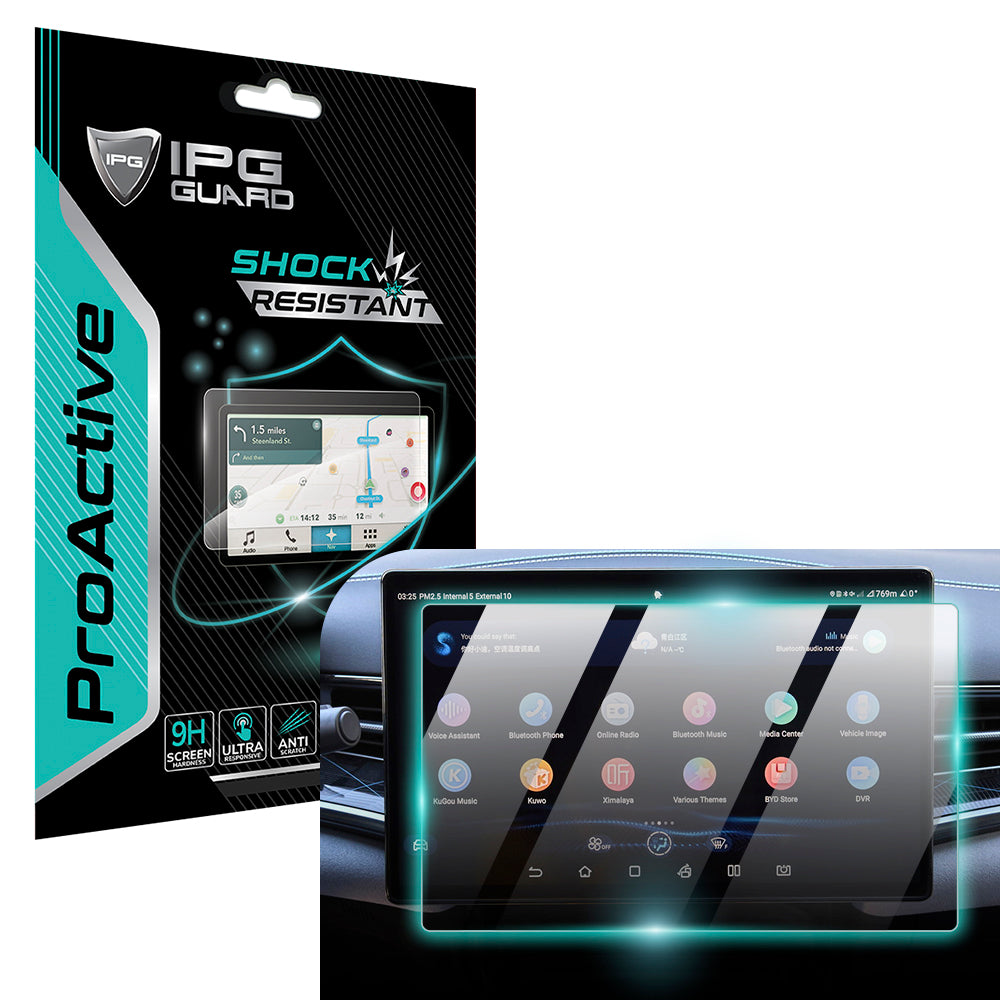
IPG ProActive represents the pinnacle of invisible protection technology. It isn't just a layer; it's a precision-engineered shield designed to vanish upon application. We provide specialized solutions for high-stakes displays, such as the IPG ProActive for BYD 2022‑2025 SEAL Navigation Display Screen Protector (15.6" inch). These large-format touchscreens require absolute clarity and zero interference. Our material science ensures the capacitive field remains undisturbed. Whether you are navigating a coastline with a Lowrance fishfinder or capturing a moment with a Nikon camera, our protectors maintain the original tactile response of your equipment.
Professionals in demanding environments cannot afford lag. In the shop, technicians rely on the IPG Snap-on Triton Apollo Solus +screen protector and IPG screen protector Autel MaxiIM KM100 MaxiCharger MaxiSYS MS909 MS919 units. These tools are the lifeblood of diagnostic work. A missed tap can lead to a missed fault code. We act as the guardian of your technology. We ensure your industrial-grade displays remain as responsive as the day they were manufactured. Our commitment to stewardship means we handle your high-value items with the care they deserve.
Why Professionals Trust My IPG
Technicians choose My IPG because we solve the root causes of touch failure. The IPG Zerodust Screen Protector utilizes a specialized application technology that eliminates environmental contaminants during installation. Dust is a primary reason why a screen protector might affect touch sensitivity. By ensuring a pure, debris-free bond, we preserve the electrical path between your finger and the sensor. For those seeking total device security, consult our IPG Phone camera lens protector guide. Protecting your optics is just as vital as protecting your interface.
The Final Verdict on Touch Sensitivity
Does a screen protector affect touch sensitivity? If it's a generic, mass-produced layer, the answer is often yes. However, a high-quality, properly installed shield from a dedicated specialist should have zero perceptible impact. We combine material density optimization with precision-cut dimensions to ensure a perfect fit every time. You've invested heavily in your technology. Don't compromise its performance with inferior materials. Choose a partner that understands the emotional and financial value of your devices. Preserve what you value most with IPG. Shop Now and experience the standard in invisible protection.
Secure Your Digital Interaction
You've explored the physics of capacitive fields and the critical role of material density. Protecting your high-value items shouldn't lead to a laggy experience. While many ask, does a screen protector affect touch sensitivity, the reality is that precision engineering eliminates the friction. We've seen how advanced Hydrogel technology preserves seamless biometrics and why professionals in industrial and marine fields trust our durable shields. With options precision-cut for 10,000+ devices, you can ensure a perfect fit for every display in your life. From the shop floor to the open sea, your equipment requires absolute reliability. Don't settle for a barrier that stands between you and your technology. Choose a solution that acts as a guardian, maintaining the integrity of your hardware while enhancing your daily interaction. It's about security, performance, and the preservation of what you value most. Your devices are extensions of your life; they deserve specialized care that respects their original design.
Upgrade to IPG ProActive for perfect touch response
Your devices deserve the best stewardship. Take control of your screen response today and enjoy the peace of mind that comes with professional protection.
Frequently Asked Questions
Does tempered glass affect touch sensitivity more than film?
Yes, standard tempered glass is generally thicker than hydrogel films, which can increase the gap in the capacitive field. While glass offers superior impact protection, its rigid structure can sometimes dampen the signal if it exceeds the 0.3mm thickness standard. Ultra-thin hydrogel films like IPG Original provide the most native feel because they bond closer to the display surface. This flexibility ensures that electrical impulses from your fingertip reach the sensors without resistance.
Can I increase touch sensitivity on my phone after installing a protector?
You can enable specialized software modes to compensate for the added layer. Android users should navigate to the Display menu and toggle on Touch Sensitivity to boost the screen's responsiveness. For iPhone users, adjusting Haptic Touch pressure and Touch Accommodations in the Accessibility settings achieves a similar result. These software calibrations ensure that your device registers lighter taps through even thicker tempered glass shields.
Why is my screen protector making it hard to use my fingerprint scanner?
The additional material can refract light or dampen the ultrasonic signals used by in-display sensors. This interference occurs most frequently with low-quality adhesives or thick glass overlays. To fix this, you must re-register your fingerprints after the installation is complete. This allows the scanner to re-map your unique ridges through the specific density of the protector. High-performance hydrogel is often the best choice for maintaining perfect biometric accuracy.
Do air bubbles under a screen protector affect how it responds to touch?
Air bubbles create localized dead zones because air is a poor conductor of electrical signals. These pockets physically separate your finger from the capacitive sensor array, breaking the electrostatic bond. This disruption leads to missed inputs and frustrating lag. Using a protector with Zerodust technology ensures a seamless, bubble-free application. A perfect bond is essential for maintaining the operational integrity of your high-value items.
Is it normal for a screen protector to have a slight delay in response?
No, a high-quality, properly engineered protector should have zero perceptible lag. If you notice a delay, the material is likely too dense or the adhesive is not electrically clear. So, does a screen protector affect touch sensitivity? Only when the precision engineering is lacking. If your device feels slower, it is a sign that the protector is a low-grade barrier rather than a performance-focused shield.
Will a privacy screen protector reduce my touch sensitivity?
Privacy protectors include micro-louver layers that add slight thickness, but modern versions are engineered to preserve full responsiveness. These specialized shields use advanced materials to maintain high electrical permittivity. While they limit viewing angles for security, they shouldn't interfere with your ability to navigate the interface. Always choose a precision-cut privacy shield to ensure the additional layers don't compromise your device's rapid-fire response.
How do I know if my screen protector is too thick for my device?
You'll notice missed keystrokes or the need to apply excessive pressure during daily interaction. If you have to tap twice for a single action, the material likely exceeds the 0.3mm "sweet spot" for modern capacitive screens. Excessive thickness creates a dielectric wall that dulls the signal. Switching to a thinner, engineered film or ultra-thin tempered glass will restore the seamless interaction you expect from your technology.
Can a dirty screen protector cause touch issues?
Accumulated skin oils, dust, and moisture mimic the electrical signature of a finger, causing ghost touches or unresponsiveness. Does a screen protector affect touch sensitivity when it's covered in debris? Absolutely, as these contaminants interfere with the electrostatic field. Regular maintenance with a microfiber cloth is vital. Clean your screen daily to ensure the capacitive sensors can clearly detect your inputs without environmental interference.