

What if the reason a large car touchscreen keeps looking streaky isn’t the cleaner, but how dust, moisture, and wiping are handled? The best way to clean large automotive touchscreens is more controlled than a quick spray and wipe. Fingerprints and smudges can spread across a wide display, while excess liquid or firm rubbing can put delicate surfaces at risk.
It’s easy to be unsure which cloth or cleaning product is suitable. A simple routine helps: check the vehicle’s care guidance, remove loose dust with a clean cloth, and use only the moisture or cleaner the instructions permit. Work in manageable sections and inspect the screen before repeating a pass. This guide explains how to prepare the display, choose cleaning materials, and handle streaks without pressing harder.
Start by powering down the screen if the vehicle guidance allows it. Lift dust with a dry microfiber cloth, then use a separate cloth lightly dampened with distilled water only if the instructions permit moisture. A compatible screen protector is a separate preventive-care option that can help guard a display against daily wear, but it doesn’t remove the need for careful cleaning.
Key Takeaways
- The best way to clean large automotive touchscreens starts with your vehicle’s care guidance and a clean, soft microfiber cloth.
- Work across the display in manageable zones, using a fresh cloth section so you don’t carry fingerprints from one side to the other.
- If your vehicle manual permits a cleaner, apply a small amount to the cloth, never directly to the screen.
- For lingering fingerprints or streaks, use a fresh cloth section and gentle repeat passes instead of pressing harder.
- Clean visible residue as needed. Treat a compatible screen protector as a separate way to help guard the display against daily wear.
Why Large Automotive Touchscreens Need a Gentle, Deliberate Cleaning Method
A large automotive touchscreen needs even, controlled cleaning from one area to the next. Because it may span much of the dashboard, a missed strip, uneven wipe, or fingerprint dragged across the surface can stand out. The best way to clean large automotive touchscreens is to treat the display as a delicate electronic surface, not as another part of the dashboard to detail quickly.
Gentle screen cleaning means removing visible dust and residue with minimal pressure and only methods permitted by the vehicle’s care guidance. General interior detailing may involve products and motions that aren’t appropriate for a display. Don’t treat the screen like glass or trim simply because it sits between them. Touchscreens use different technologies, and an overview of types of touchscreen technology offers useful context for why screens can differ.
Why a large display can show streaks so easily
A broad, continuous viewing area makes uneven wiping easy to notice. Moisture beside a dry patch, or residue left along a wipe path, can catch the light and appear as a streak from the driver’s seat. Normal use leaves fingerprints, while dust settles on the surface. The goal is to remove visible residue without spreading it or leaving new marks behind.
Don’t aim for a particular finish or treatment. Look for a screen without obvious dust, fingerprints, or wipe marks. A consistent appearance matters more than repeatedly polishing one spot, which can spread residue over a larger area.
What to check before touching the screen
Start with the vehicle manual. Its screen-specific care instructions, along with any display-maker guidance provided for your vehicle, take priority over general advice. Models can differ, so check what the instructions say about cloths, liquids, and whether the screen should be on or off.
If the vehicle guidance permits it, power down the display before cleaning. A dark screen can make dust and fingerprints easier to see, so you can focus on marked areas instead of wiping clean sections repeatedly. Make sure the screen is cool and dry. If it’s hot, wet, or in direct sun, wait until conditions are more suitable. Heat and glare can make moisture and streaks harder to assess.
Before starting, look across the full display from the driver’s position. Note where fingerprints cluster and whether dust has collected near the edges. This quick inspection helps you plan your passes instead of wiping the whole panel at random. Keep your touch light. Ordinary surface marks don’t require firm pressure, and excess moisture isn’t a substitute for a clean cloth.
What to Use, and Avoid, When Cleaning a Large Automotive Touchscreen
A wide display needs a simple setup, not a collection of detailing products. Begin with one clean, soft microfiber cloth. Check the vehicle manual before adding any liquid, even if a product is marketed for screens. Display surfaces and manufacturer instructions vary, so the manual sets the limits for your vehicle.
Supply checklist:
- Essential: A clean, soft microfiber cloth reserved for the display.
- Optional: A screen-labeled cleaner, only if the vehicle guidance permits it. Apply it to the cloth, never directly to the screen.
That’s enough for a routine clean. A second cloth can help when you need a fresh, dry surface. Avoid adding brushes, sprays, or general interior products unless the vehicle instructions call for them. A compatible automotive display protector is a separate preventive-care option, not a cleaning supply. Explore automotive screen protectors if you’re considering added display protection.
Choose a cloth and cleaner with care
Use microfiber that’s clean and free of grit, dust, or residue from another task. A cloth used on the dashboard or windows may pick up particles or product residue that you don’t want to move across the screen. For light dust or fingerprints, a dry cloth may be enough. If marks remain, use a screen-labeled cleaner only when your vehicle instructions allow it, and follow the product directions.
Pay attention to the cloth as you work. If it picks up visible dust or starts leaving marks, fold it to expose an unused area or switch to a clean cloth. A fresh section helps prevent transferring collected residue back onto the display. Don’t try to make a dirty cloth work by pressing harder.
Cleaning materials and habits to avoid
Paper towels, rough or dirty cloths, and abrasive materials can scratch the surface or leave fibers behind. Avoid using a shirt or a cloth meant for other interior surfaces. Don’t spray liquid onto the display, buttons, seams, or dashboard. Liquid can run beyond the area you intend to clean. Applying it to the cloth, when permitted, gives you more control and helps keep it away from nearby openings and trim.
Don’t assume household glass cleaner or another chemical is safe just because it works on a different surface. Avoid alcohol, ammonia, and other chemicals unless the vehicle guidance explicitly permits them. Some displays have surface treatments that may be affected by unsuitable products. Follow the manual rather than relying on a cleaner’s general claims or a method used on another car.
The best way to clean large automotive touchscreens starts with restraint: use a clean microfiber cloth first, and add liquid only if the vehicle’s care instructions allow it. Keeping the setup simple makes it easier to avoid spreading residue or introducing unnecessary moisture.
The Best Way to Clean a Large Automotive Touchscreen, Step by Step
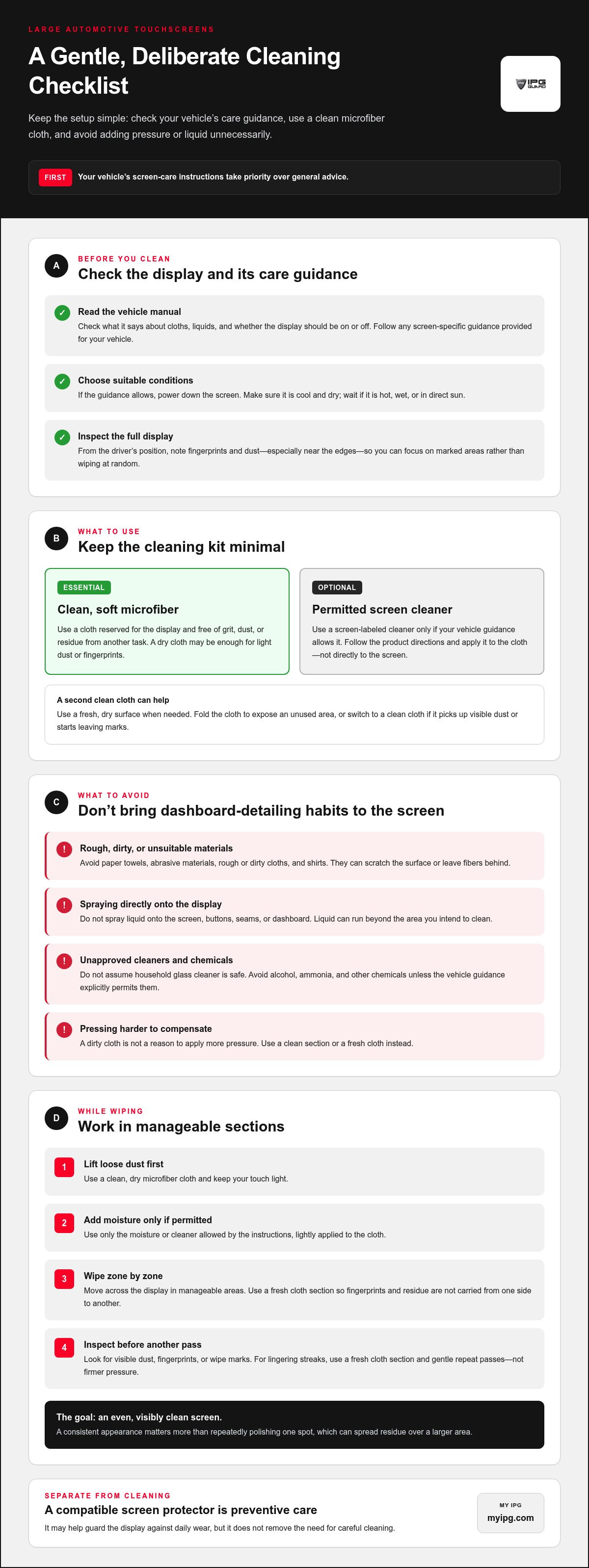
A wide display is easier to clean evenly when you divide it into sections instead of making long, wandering passes from edge to edge. Keep pressure light, use a clean part of the cloth, and follow your vehicle’s care instructions. The sequence is straightforward: check the guidance, prepare the screen, lift dust, wipe in zones, then inspect.
In short: check the manual, remove loose dust with a clean dry cloth, wipe adjoining sections gently using only permitted moisture, and inspect the full display. This method helps limit residue transfer and makes it easier to see which areas, if any, need another light pass.
- Check the vehicle guidance. Park safely and review the manual’s screen-care instructions before cleaning. Follow its directions for powering down the display and for whether liquid or cleaner is allowed. If the instructions specify a particular procedure, use it rather than improvising.
- Prepare the display. If the manual permits, switch the screen off so dust and fingerprints are easier to see. Wait until the display is cool and dry. Avoid cleaning while it’s hot, wet, or in direct sunlight, when glare or quick drying can make residue harder to assess.
- Lift loose dust first. Use a clean, dry microfiber cloth to gently pick up visible dust. Don’t scrub or press particles against the surface. If you see grit on the cloth, stop and use a clean section rather than dragging it across the display.
- Divide the screen into zones. Mentally split the display into manageable areas, such as left, center, and right. Work across adjoining zones in a consistent direction with light strokes, not random circular scrubbing. This makes coverage easier to track and helps prevent carrying fingerprints back across the screen.
- Dampen the cloth only if permitted. If the manual allows a cleaner or liquid, apply a small amount to the cloth and make sure it isn’t dripping. Never spray the display directly. Wipe one zone at a time, turning or refolding the cloth to expose a clean section as residue builds up.
- Inspect the whole display. Look across the screen from the driver’s seat, then change your viewing angle to catch marks that glare may hide. If you find a fingerprint or streak, use a clean cloth section for a gentle repeat pass. Don’t press harder or keep rubbing an area that’s already clean.
Work methodically across the display
Choose a direction and keep it consistent within each zone. For example, move from the top of the left section to the bottom, then continue through the center and right. Slightly overlap neighboring areas to avoid leaving narrow untouched strips. As you move along, use a fresh cloth section so you don’t redeposit residue.
Take extra care at edges and around controls. Keep the cloth under control so it doesn’t push liquid toward buttons or seams. The best way to clean large automotive touchscreens is to make careful, section-by-section passes, not to apply more pressure or repeatedly wipe the entire panel.
How to Handle Streaks, Fingerprints, and Other Cleaning Problems
A streak after cleaning doesn’t mean you need a stronger product or more pressure. Excess moisture, residue on the cloth, or repeated passes over one spot can leave visible marks on a wide display. Pause and identify what may be causing the streak before continuing. The best way to clean large automotive touchscreens is to correct the technique gently, not escalate the cleaning.
What to do when the screen still looks streaky
Check the cloth first. It may be carrying dust or residue, leaving lint, or holding more moisture than needed. If your vehicle guidance permits, use a clean, dry microfiber section for one light final pass. Inspect the display in indirect light, then stop if the streak has cleared. Repeatedly polishing the same area can spread residue and make it harder to tell whether the screen is improving.
For a fingerprint that remains, turn or refold the cloth to expose a fresh section and make a gentle pass. If the mark persists, pause and recheck the vehicle manual’s screen-care instructions. Don’t switch to a stronger chemical, add more liquid, or press harder unless the manufacturer guidance specifically allows that method. Persistent residue is a reason to reassess, not improvise.
Tell residue apart from physical damage
Cleaning can remove surface soils, but it can’t repair a scratch or other physical damage. If a mark stays in the same place after careful cleaning, stop wiping and examine it without adding pressure or chemicals. Don’t try to polish or buff out a suspected scratch. A persistent mark may need a different response than routine cleaning, and aggressive treatment can make the surface worse.
How to reduce fingerprints and dust between cleanings
Small habits can help reduce fresh marks. Use clean hands when practical, and avoid pressing the display unnecessarily. During interior cleaning, keep dusty tools and cloths away from the touchscreen until loose dust has been removed. Otherwise, particles picked up from other surfaces may transfer onto the screen or be dragged across it.
Cleaning addresses current residue. A compatible screen protector is a separate option that may help guard a display against daily wear, but it doesn’t remove the need for careful cleaning. If you’re considering that preventive step, the car screen protector buying guide explains the display-protection option.
For automotive display protection, explore My IPG screen protection. Keep troubleshooting simple: use a clean cloth, follow vehicle guidance, and stop before a gentle cleanup turns into forceful rubbing.
Make Large Touchscreen Cleaning a Simple, Protective Routine
A dependable routine doesn’t need a fixed weekly schedule. Clean the display when dust, fingerprints, or other visible residue appears, and follow your vehicle’s screen-care instructions each time. A light mark may need only a dry cloth; more noticeable residue may call for the method and materials your manual permits. Let the screen’s condition and model-specific guidance set the timing.
Keep the process consistent: start with a clean microfiber cloth, remove loose dust first, use only minimal permitted moisture, and work in gentle passes across manageable sections. Separate screen care from dashboard detailing. A cloth or tool used on dusty trim can carry particles or residue onto the display, so reserve a clean cloth for delicate surfaces.
Build a repeatable care routine
Store a clean microfiber cloth where it stays protected from dust and other cleaning products. Before each use, check that it’s free of grit and residue. Clean only as needed rather than repeatedly wiping a screen that already looks clean. This simple habit limits unnecessary contact while keeping a suitable cloth ready for visible fingerprints or dust.
Keep the steps in the same order: consult the manual, prepare the display, dust first, then wipe gently with only approved moisture. If you’ve been cleaning the dashboard, switch to a fresh cloth before touching the screen. Model instructions take priority over any general routine, especially if they specify a particular product or method.
Consider protection as a separate preventive step
Cleaning removes residue that’s already on the surface. A compatible screen protector serves a different purpose: it’s a separate option intended to help guard the display against daily wear. It doesn’t replace cleaning, and the display still needs careful handling. Fit matters, so choose protection designed for the specific vehicle display rather than assuming one size suits every screen.
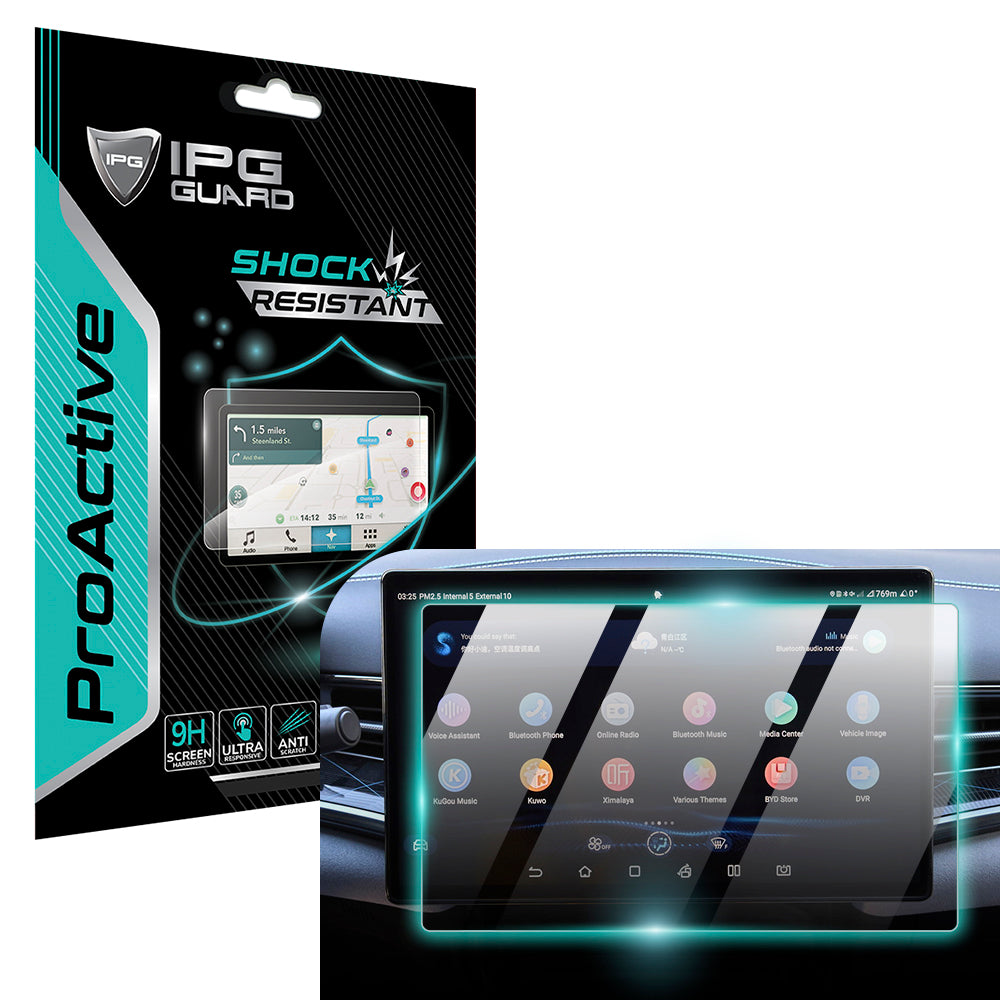
For example, My IPG offers a 15.6-inch navigation display screen protector for specified 2022-2025 BYD SEAL models. Read the automotive screen protection guide to learn more about fit-specific protection. For broader information about display protection, browse the complete screen protector guide.
The best way to clean large automotive touchscreens is a measured routine, not frequent polishing: respond to visible residue, use clean materials, and keep each pass gentle. That makes screen care easier to repeat while keeping cleaning and preventive protection clearly distinct.
Keep Your Display Ready for the Road Ahead
A clean, clear touchscreen makes everyday controls easier to see and use. Keep screen care simple, and let your vehicle’s guidance shape each cleaning session. The best way to clean large automotive touchscreens is a gentle routine you can repeat without turning a small smudge into an aggressive detailing job.
For a separate layer of preventive care, consider a protector designed for your vehicle’s display. My IPG offers custom-fit protection for automotive infotainment displays, including a protector for specified BYD SEAL models. Its product range includes the IPG ProActive family for automotive displays.
Explore My IPG automotive screen protection to find a display-specific option. Pair careful cleaning with protection designed for your screen, and make the next cleanup simpler by keeping a clean microfiber cloth ready.
Frequently Asked Questions
Can I use glass cleaner on my car touchscreen?
Use glass cleaner only if your vehicle’s instructions specifically allow it for the display. A product made for household windows isn’t automatically suitable for an automotive screen, even if the label says “streak-free.” If the manual permits a screen cleaner, put a small amount on a clean microfiber cloth, not on the display. Until you can follow the vehicle’s specific guidance, avoid liquid and use a dry cloth for light surface dust.
What is the safest way to clean a large car touchscreen?
Follow your vehicle’s screen-care instructions, then clean with a light touch and a fresh part of the cloth for each area. The best way to clean large automotive touchscreens is to avoid dragging dust across the display or using excess moisture. For example, if dust gathers near the screen’s edge, lift it gently before wiping the center. Stop if the cloth picks up grit, and resume only with a clean surface.
Can I use a damp microfiber cloth on my car display?
Use a damp microfiber cloth only if your vehicle’s care instructions allow moisture. It should be slightly damp, not wet enough to drip when held or pressed. For a small fingerprint, dampen a corner rather than the whole cloth, and keep that area away from the display’s edges and nearby controls. If the manual says to use a specific cleaner or avoid moisture, follow that direction. A dry cloth may be enough for light marks.
How do I clean a car touchscreen without leaving streaks?
Use a clean cloth and don’t let cleaner or water collect on the surface. On a wide screen, finish one area before moving to the next, then inspect the display from the driver’s seat in indirect light. If a streak remains, check whether the cloth is damp or soiled before making another gentle pass. The best way to clean large automotive touchscreens is controlled wiping, not repeatedly polishing the same patch.
Can I use paper towels to clean my car touchscreen?
Use a clean microfiber cloth recommended by your vehicle’s guidance instead. Paper towels can feel rough against a delicate display and may leave small fibers, especially when damp. Don’t use a towel to wipe away visible grit, since particles can be moved across the surface. Keep a dedicated cloth for the screen rather than reusing one that has touched dashboard products or collected dust.
How often should I clean my car touchscreen?
Clean it when visible fingerprints, dust, or residue affect viewing, rather than following a schedule that may not suit your vehicle or use. A screen used often by several passengers may show marks sooner than one used less frequently. Check the manual for any care recommendations, and avoid wiping the display out of habit if it’s already clean. Gentle, occasional maintenance is preferable to unnecessary rubbing.
Should I turn off my car before cleaning the touchscreen?
Park safely and follow your vehicle manual before cleaning. Some displays can be switched off separately, while other vehicles may have a specific shutdown or screen-cleaning procedure. Turning the display off when permitted can make marks easier to see, but don’t assume every model works the same way. Never clean or adjust the screen while driving. If the manual gives a specific procedure, follow it rather than improvising.